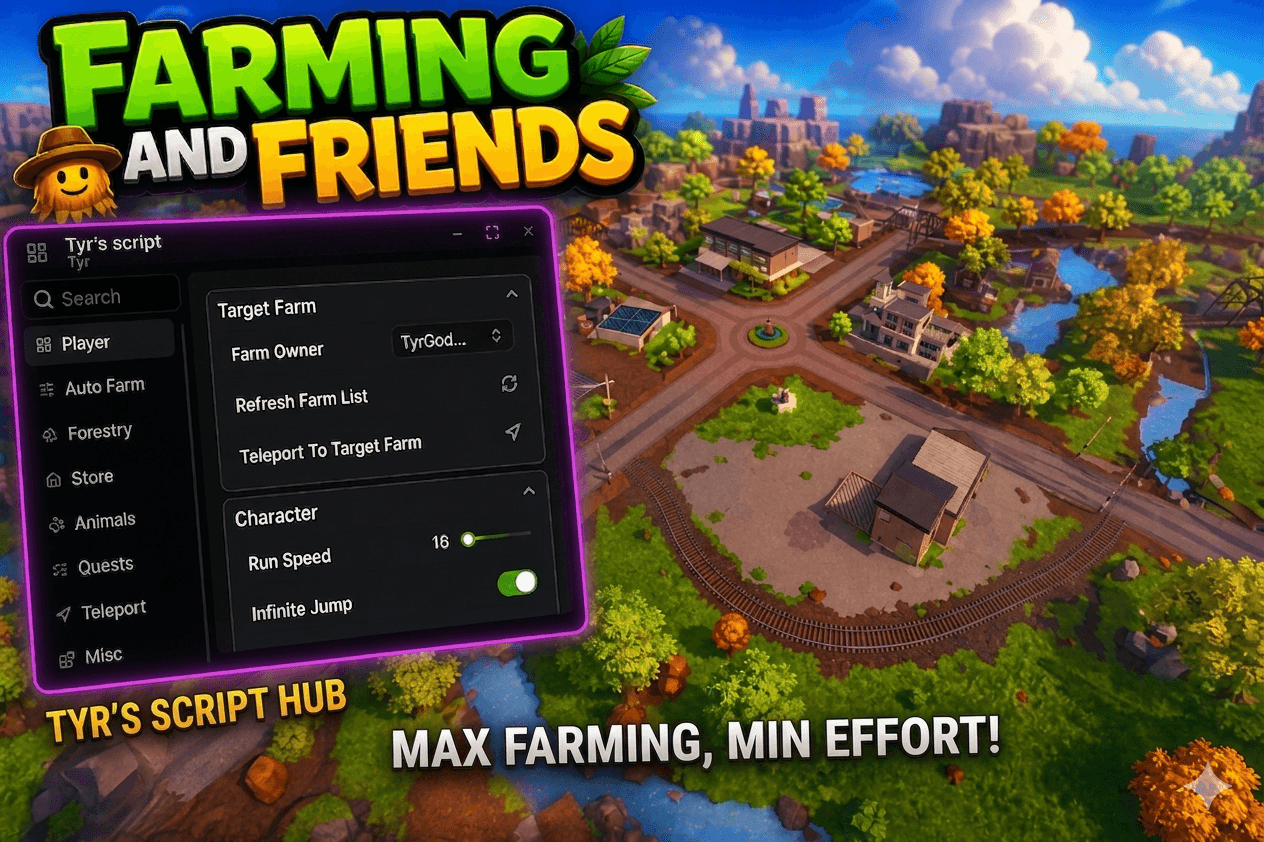
Farming and Friends
Crafted by veterans. Built for those who expect more. Developed by experienced Farming and Friends players, this script was meticulously designed with every aspect of the game in mind. Every feature, system, and optimization has been carefully considered to give you a significant advantage while minimizing the time and effort required. Our goal is simple: do up to 80% less, while earning up to 800% more. This is not a basic script. It is an extensive, highly refined system built with precision and attention to detail. Because of its advanced nature, we strongly recommend using it responsibly and at your own discretion. We continuously strive to keep the script as discreet and low-profile as possible. However, no script can guarantee complete protection from detection or bans. Use at your own risk.
Paste this into your executor after redeeming your key.
Loadstring
loadstring(game:HttpGet("https://raw.githubusercontent.com/gbyte2855-debug/TyrScripts/refs/heads/main/Faf_Loader"))()
216 features
Farm Owner
Selects the player whose farm you want to interact with or teleport to.
Refresh Farm List
Refreshes the list of available players and farms in the server.
Teleport To Target Farm
Teleports your character directly to the farm of the selected farm owner.
Run Speed
Adjusts your character's walk and run movement speed.
Infinite Jump
Allows your character to jump continuously in mid-air without ground contact.
Farmers Club
Toggles the Farmers Club membership perk for your character.
Set Maximum Speed
Sets the custom maximum vehicle speed value to apply.
Apply Speed
Applies the specified maximum speed to your current vehicle.
Starts counting down the moment your key is issued, not first use.
FaF Premium
XXXX-XXXX-XXXX-XXXX
Issued immediately after purchase
Not ready to buy? Get a free daily key — shows ads, redeem again each day.
FaF Premium
XXXX-XXXX-XXXX-XXXX
Issued immediately after purchase
Not ready to buy? Get a free daily key — shows ads, redeem again each day.
Starts counting down when issued, not first use.
Full Farm Speed
Sets the vehicle movement and execution speed for full auto farming.
Direction (Full Auto Farm)
Chooses the driving grid direction for the full auto farm cycle.
Select Tractor (Full Auto Farm)
Chooses the tractor used for the automated farming sequence.
Select Plow
Selects the plow attachment for soil preparation in the full auto farm cycle.
Select Cultivator
Selects the cultivator attachment to prepare plowed tiles for planting.
Select Seeder
Selects the seeder tool to plant seeds across the prepared fields.
Optional Sprinkler
Selects an optional sprinkler attachment to water crops during the automated sequence.
Select Harvester (Full Auto Farm)
Selects the harvester used to collect grown crops.
Crop Selection (Full Auto Farm)
Chooses the crop type the automated routine will seed and manage.
Refresh Full Farm Dropdowns
Refreshes the equipment, vehicle, and crop selection dropdown lists.
Full Auto Farm
Runs the complete automated cycle: plowing, cultivating, seeding, watering, and harvesting.
Farm Speed (Plow / Cultivate / Seed)
Sets the vehicle operating speed for the manual plow, cultivate, and seed routines.
Tile Size (Plow / Cultivate / Seed)
Adjusts the field tile step distance and boundary spacing.
Direction (Plow / Cultivate / Seed)
Sets the orientation grid direction for plowing, cultivating, or seeding.
Select Tractor (Plow / Cultivate / Seed)
Selects the tractor for the chosen field equipment.
Select Equipment
Selects which individual tool (plow, cultivator, or seeder) to operate.
Refresh Equipment (Plow / Cultivate / Seed)
Refreshes the list of available tractors and field tools.
Crop Selection (Plow / Cultivate / Seed)
Selects the seed type to load into the seeder tool.
Refresh Seed Boxes
Scans and refreshes the list of nearby available seed boxes.
Auto Farm
Toggles automated operation of the selected tractor and field equipment across your plot.
Auto Fill Seeder
Automatically searches for seed boxes and fills the attached seeder when empty.
Farm Speed (Sprinkling)
Sets the movement speed of the tractor while operating the sprinkler.
Tile Size (Sprinkling)
Configures the grid spacing for watering coverage.
Direction (Sprinkling)
Sets the grid traversal direction for watering the field.
Select Tractor (Sprinkling)
Selects the tractor used to tow the sprinkler.
Sprinkler
Selects the sprinkler attachment from your available tools.
Refresh Equipment (Sprinkling)
Refreshes the list of available tractors and sprinkler tools.
Auto Sprinkle
Automatically drives and operates the sprinkler across dry crop tiles.
Continuous Auto Sprinkle
Waters the fields on a repeating loop whenever crops require moisture.
Fast Growth
Triggers rain to accelerate crop growth.
Farm Speed (Harvest)
Sets the movement speed of the harvester during crop collection.
Tile Size (Harvest)
Sets the harvesting route grid spacing across the field.
Direction (Harvest)
Sets the travel direction for harvesting crops.
Select Harvester (Harvest)
Selects the harvester machine to operate.
Refresh Equipment (Harvest)
Refreshes the list of available harvester machines.
Auto Harvest
Automatically navigates and harvests fully grown crops across the farm.
Auto Deposit (Harvest)
Automatically drives or teleports the harvester to dump collected crops into the farm silo.
Farm Speed (Cocoa Harvester)
Sets the travel speed for the cocoa harvesting vehicle.
Direction (Cocoa Harvester)
Sets the driving direction through cocoa plantations.
Select Cocoa Harvester
Chooses the vehicle used to harvest cocoa beans.
Select Chocolate Milk Factory
Selects the chocolate factory for cocoa drop-offs.
Refresh Equipment (Cocoa Harvester)
Refreshes the list of cocoa harvesters and factory structures.
Auto Cocoa Harvest
Automatically collects ripe cocoa beans from cocoa trees.
Auto Deposit (Cocoa Harvester)
Automatically deposits harvested cocoa into the farm storage silo.
Auto Deposit Into Chocolate Factory
Transfers collected cocoa beans directly into the chocolate factory's input bay.
Farm Speed (Grapes)
Sets the driving speed of the vehicle used for vineyard operations.
Auto Fill Speed
Sets the transfer delay speed when loading grape seeds into the seeder.
Direction (Grapes)
Sets the lane driving direction through the grape trellises.
Select Moped
Selects the moped used to navigate tight vineyard rows.
Select Grape Seeder
Selects the grape seeding attachment.
Select Grape Harvester
Selects the grape harvesting attachment or machine.
Select Juicery
Selects the juicery for depositing grapes.
Refresh Grape Setup
Refreshes the list of grape vehicles, attachments, and juicery buildings.
Auto Fill Grape Seeder
Automatically pulls grape seeds from seed bags to restock the seeder.
Auto Plant Grapes
Automatically drives and plants grape vines along the trellis lines.
Auto Harvest Grapes
Automatically harvests ripe grapes from the vineyard trellises.
Auto Deposit Into Juicery
Automatically transfers harvested grapes into the selected juicery.
Withdraw Juicery Output
Automatically withdraws processed grape juice or products from the juicery output bay.
Auto Farm Speed
Configures the vehicle speed for automated tree farming and replanting.
Direction
Sets the orientation grid direction for forestry planting and harvesting routes.
Select Tractor
Selects the tractor used for forestry soil preparation and replanting.
Select Plow
Selects the plow attachment used for forestry land preparation.
Select Cultivator
Selects the cultivator tool used to prepare tree plots.
Select Seeder
Selects the tool used to sow tree saplings.
Optional Sprinkler
Selects a sprinkler tool to accelerate tree sapling growth.
Select Log Hauler
Selects the trailer or truck used to transport harvested wood logs.
Crop Selection
Selects the tree species or sapling type to cultivate.
Refresh Forestry Dropdowns
Refreshes all forestry equipment, haulers, and seed options.
Full Auto Forestry
Runs a full automated sequence: preparing land, planting trees, watering, chopping, and hauling logs.
Auto Cut Trees
Automatically detects and cuts down fully grown trees across your forestry plot.
Auto Load Logs
Automatically loads cut tree logs onto your log hauler or trailer.
Auto Deposit Logs
Automatically moves and unloads gathered wood logs into the sawmill intake.
Seed Type
Chooses the type of seed box to purchase from the store.
Buy Selected Seed
Instantly buys a single box of the selected seed type from the merchant.
Buy Grape Seed Bag
Instantly purchases a grape seed bag from the store.
Auto Buy Selected Seed
Automatically purchases the selected seed box whenever stock and funds allow.
Pallet Type
Selects the commodity pallet type to purchase in bulk.
Pallet Amount
Sets the quantity of pallets to purchase in a single order.
Buy Pallets
Buys the designated amount of chosen pallets from the bulk supplier.
Buy Grape Seed Pallet
Purchases a bulk pallet of grape seeds from the shop.
Save BulkStore Drop Location
Saves your character's current position as the delivery point for purchased bulk pallets.
Auto Empty BulkStore
Automatically collects and removes pallets from the store pickup area to clear space.
Auto Bring All Pallets
Automatically teleports all owned pallets from the store directly to your saved location.
Sell Truck
Selects the vehicle or trailer carrying products to sell.
Crop / Milk To Sell
Chooses which crop, liquid, or milk type to sell from your storage.
Refresh Sellable Products
Refreshes the list of sell trucks and inventory commodities ready for sale.
Sell Selected Product Once
Sells the selected crop or liquid once, at the current market price.
Deposit Selected Product Into Warehouse
Deposits the selected item into warehouse storage rather than selling immediately.
Auto Sell Selected Product
Automatically sells the chosen commodity as soon as it's produced.
Sell When Price Is At Least
Sets a minimum price threshold below which automatic selling is paused.
Auto Sell At Selected Price
Automatically sells your commodity once the market price meets or exceeds your threshold.
Auto Withdraw Planks
Automatically withdraws finished wood planks from the sawmill storage racks.
Sell PlankStacks
Sells all available wood plank stacks at the lumber market immediately.
PlankStack Minimum Sell Price
Sets the minimum acceptable price target for selling plank stacks.
PlankStack Auto Sell Speed
Configures the execution speed and loop delay for plank auto-selling.
Auto Sell PlankStacks
Automatically monitors plank market prices and sells plank stacks whenever price conditions are met.
Select Chocolate Milk Factory
Chooses which chocolate milk factory to operate or supply.
Truck (Chocolate Milk Factory)
Selects the tanker or cargo truck dedicated to chocolate factory deliveries.
Refresh Chocolate Setup
Refreshes the list of chocolate factories and available delivery trucks.
Auto Deposit Milk
Automatically unloads and deposits fresh milk into the chocolate factory input tank.
Auto Deposit Cocoa
Automatically unloads and deposits cocoa beans into the chocolate factory intake.
Select Cheese Factory
Chooses the cheese factory to manage.
Truck (Cheese Factory)
Selects the milk tanker truck designated for cheese factory deliveries.
Refresh Cheese Setup
Refreshes the list of cheese factory buildings and connected milk transport trucks.
Auto Deposit Free-Range Milk
Automatically transports and deposits free-range cow milk into the cheese production vat.
Select Honey Oat Cereal Factory
Selects the Honey Oat Cereal factory to supply.
Refresh Honey Oat Cereal Factory
Refreshes the Honey Oat Cereal factory selection list.
Truck For Oat Deposit
Selects the grain truck used to haul oatmeal to the cereal factory.
Auto Deposit Oatmeal
Automatically feeds oatmeal from the selected truck into the cereal factory intake hopper.
Auto Deposit Honey Pallets
Automatically picks up and transfers honey pallets to the cereal factory's input bay.
Select Pizza Factory
Chooses the pizza factory to manage.
Refresh Pizza Factory
Refreshes the pizza factory list.
Truck For Tomato/Wheat Deposit
Chooses the transport vehicle carrying tomatoes and wheat for pizza dough and sauce.
Auto Deposit Wheat
Automatically unloads wheat grain into the pizza factory dough preparation area.
Auto Deposit Tomato
Automatically deposits harvested tomatoes into the pizza factory sauce hopper.
Auto Deposit Cheese Pallets
Automatically loads cheese pallets into the pizza factory ingredients inlet.
Select Egg Scrambler
Selects the egg scrambler machine to operate.
Refresh Egg Scrambler
Refreshes the list of discovered egg scrambler appliances.
Run Egg Scrambler Once
Runs a single cycle converting three egg boxes into scrambled eggs.
Auto Egg Scrambler
Feeds egg boxes into the scrambler continuously to produce scrambled eggs.
Select Cake Factory
Chooses the cake factory to supply with raw ingredients.
Select Oven Building
Selects the oven where cake batter is baked.
Refresh Cake Setup
Refreshes the list of cake factories, ovens, and delivery trucks.
Truck For Cake Dropoff
Selects the vehicle assigned to deliver ingredients to the cake factory.
Auto Deposit Cake Milk
Automatically unloads fresh milk into the cake batter mixing station.
Auto Deposit Cake Wheat
Automatically transfers wheat flour into the cake mixing station.
Auto Deposit Cake EggBoxes
Automatically deposits whole egg boxes into the cake factory mixing bowl.
Auto Activate Cake Factory
Automatically triggers the cake mixing machine whenever all ingredients are present.
Auto Move CakeBatter To Oven
Automatically moves prepared cake batter from the mixer into the baking ovens.
Refresh Tasks
Re-scans and updates all factory processing tasks and queue states.
Crop Type
Selects the crop type required for the delivery contract.
Truck (Company Crop Delivery)
Selects the grain truck to transport bulk crops to the company depot.
Refresh Crop Delivery Lists
Refreshes the available delivery trucks and accepted corporate crop types.
Auto Deposit Selected Crop
Automatically drives or teleports the selected crop truck to fulfill company delivery orders.
Liquid Type
Selects the liquid commodity (milk, juice, or oil) for the delivery contract.
Truck (Company Liquid Delivery)
Selects the tanker vehicle used for transporting liquids to the company.
Refresh Liquid Delivery Lists
Refreshes the list of tanker vehicles and liquid types accepted by the company.
Auto Deposit Selected Liquid
Automatically transfers the selected liquid from the tanker truck into the company delivery tanks.
Pallet Type
Selects the merchandise pallet required by current company contracts.
Pallet Truck / Trailer
Chooses the flatbed truck or trailer used to transport product pallets.
Support Truck For Trailer
Selects the tow vehicle used to hitch and pull a pallet trailer.
Refresh Company Lists
Refreshes the selection lists of pallet types, flatbeds, and support vehicles.
Auto Load Pallets Onto Selected Carrier
Automatically loads matching commodity pallets from your farm onto the designated trailer.
Send Selected Pallet Truck To Company Once
Dispatches the loaded pallet vehicle to deliver a single cargo load to the company.
Auto Deposit Pallets Into Company
Loads, drives, and unloads contract pallets at the company drop-off zone on a loop.
Select Cow Barn
Selects which cow barn on your farm to operate.
Refresh Cow Barns
Refreshes the list of cow barn facilities on the farm.
Send Cows To Selected Barn
Moves all free-roaming adult cows into the designated barn.
Milk Selected Barn
Milks all cows inside the selected barn immediately.
Open Selected Barn Gates
Opens the barn gates to allow cows to enter or graze outside.
Auto Milk Threshold
Sets the minimum milk level a cow must reach before automated milking kicks in.
Auto Send / Milk Ready Cows
Automatically directs cows that have reached the threshold into the barn and milks them.
Auto Pet Cows
Automatically pets all cows on your farm to boost their happiness and productivity.
Milk Type To Delete
Selects an undesirable milk variant (e.g., low quality or spoilable) from your storage tank.
Refresh Milk Types
Refreshes the list of milk types currently stored.
Auto Delete Selected Milk
Automatically purges the selected milk type from storage tanks to free up capacity.
Auto Fill Cow Feeders
Automatically collects hay and fills all cow feeding troughs across your barns.
Auto Fill Cow Feed Dispensers
Automatically restocks bulk food dispensers that supply cow feeders.
Auto Clean Cow Stalls
Automatically mucks out and cleans all dirty cow stalls to maintain animal health.
Select Chicken Coop
Selects the chicken coop to manage.
Refresh Chicken Coops
Refreshes the list of chicken coops detected on your plot.
Collect Selected Chicken Coop
Collects all produced egg boxes from the selected chicken coop once.
Collect All Chicken Coops
Collects egg boxes once across every chicken coop on your farm.
Auto Collect All Chicken Coops
Gathers newly laid egg boxes from all chicken coops on a timer.
Auto Pickup Loose Egg Boxes
Automatically finds and collects individual egg boxes scattered on the ground.
Auto Fill Chicken Feeders
Automatically dispenses grain into chicken feed troughs to prevent hunger.
Auto Clean Chicken Coops
Automatically sweeps and cleans dirty chicken coops to maintain maximum egg yield.
Select Beehive
Chooses a beehive on your farm for honey inspection or harvesting.
Select Honey Factory
Selects the honey extraction and bottling factory.
Refresh Beehives / Honey Factories
Refreshes the lists of active beehives and honey factories.
Collect Selected Beehive Honey
Manually harvests honey combs from the selected beehive.
Collect All Beehive Honey
Harvests honey combs from all beehives across your farm at once.
Auto Collect All Beehive Honey
Automatically collects honey from every beehive as soon as it's full.
Move Selected Beehive Honey To Honey Factory
Transports harvested honey from the selected hive into the honey factory.
Move All Honey To Honey Factory
Automatically transfers all accumulated honey on your farm into the honey factory.
Clean Selected Beehive
Cleans parasite infestations or debris from the chosen beehive.
Auto Clean Beehives
Automatically inspects and cleans all beehives on your farm whenever they become dirty.
Select Shirt Factory
Selects the textile factory where processed wool is turned into shirts.
Refresh Shirt Factories
Refreshes the list of shirt and textile factory buildings on the map.
Collect All Wool
Gathers all sheared wool bundles from sheep pens at once.
Auto Collect All Wool
Collects sheared wool bundles across all sheep pens continuously.
Auto Fill Sheep Feeders
Automatically restocks grass and hay in all sheep feeding troughs.
Auto Fill Sheep Feed Dispensers
Automatically keeps bulk dispensers stocked to feed your sheep.
Deposit Wool Into Spindle Machines
Automatically feeds raw wool into spinning machines to produce yarn.
Deposit WoolBundles Into Shirt Factory
Transports spun wool bundles into the shirt factory input bay to produce garments.
Auto Animals Quests
Automatically completes active daily and milestone animal quests.
Quest Farm Speed
Sets the vehicle driving speed while completing field-based farming quests.
Select Quest Tractor
Selects the tractor used for quest-related agricultural tasks.
Select Quest Plow
Selects the plow attachment used to fulfill quest furrowing objectives.
Select Quest Cultivator
Selects the cultivator used for quest cultivation objectives.
Refresh Quest Equipment
Refreshes the list of quest tractors, plows, and cultivators.
Auto Plow + Cultivate 300 Quest
Automatically plows and cultivates fields to complete the 300-tile agricultural challenge.
Add 5500 Distance
Instantly adds 5,500 units of travel distance toward vehicle mileage quests.
Auto Logistics Distance
Simulates vehicle driving distance to automatically finish logistics mileage quests.
Waypoints
Selects a predefined map location or farm landmark from a list of waypoints.
Teleport
Instantly teleports your character to the coordinates of the selected waypoint.
Teleport to Farm
Instantly teleports your character back to your home farm.
Select Vehicle
Chooses a vehicle you own on the server.
Refresh Vehicle List
Refreshes the list of your spawned vehicles and machinery.
Teleport Vehicle To Me
Instantly warps your selected vehicle to your character's current position.
Teleport To Vehicle
Instantly teleports your character into the driver's seat of the selected vehicle.
Toggle UI Key
Sets the hotkey used to show or hide the interface.
FPS Booster
Disables unnecessary visual effects, shadows, and textures to boost rendering performance and frame rate.
Anti Render
Stops rendering world models and terrain outside your viewport to lower CPU and GPU usage.
Config Name
Enter a custom name for saving your current settings profile.
Saved Configs
Selects from your list of previously saved configuration profiles.
Save Current Config
Saves all current toggle, dropdown, and slider settings under the given profile name.
Load Config
Loads and applies all settings, hotkeys, and values from the selected configuration profile.